Configurable Workflow
A system which enables users to design and manage processes that guide data flow through the application. It offers real-time tracking of data, thus providing actionable insights to analyze efficiency, address bottlenecks, and optimize processes
My Role:
Duration:
2 Months
Team:
Tools Used:
What we achieved
How system used to work
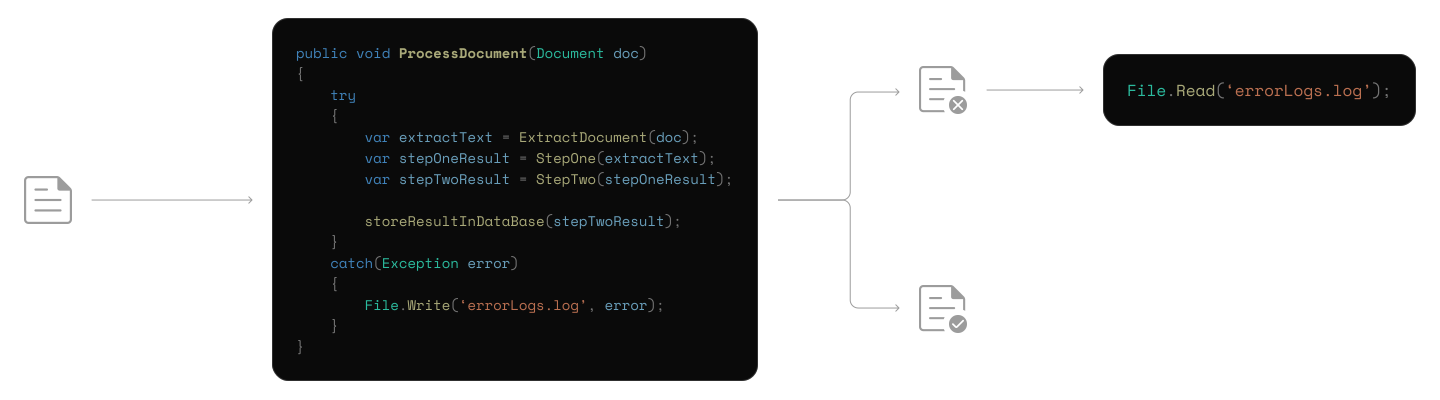
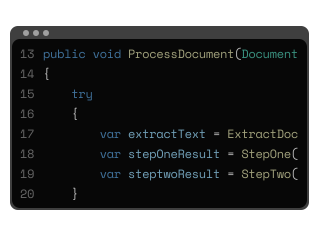
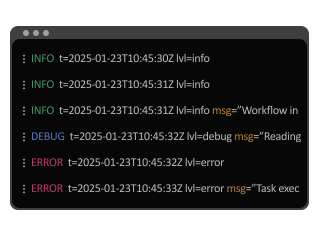
The existing system was built to seamlessly process documents through a series of meticulously designed steps, until marked as processed. The entire process was coded into the system, with no user interface to track progress
Addressing the problem
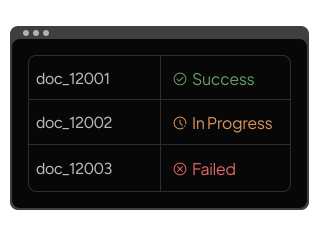
Limited visibility and no control over document processing steps
While the system was designed to handle processing efficiently in the background, it creates several challenges for users interacting with it
Identifying the core needs
Designing for user-controlled process setup
Approach 1 - Step-by-Step configuration in a table
This approach follows the standard grid or table layout already used across the product. Each step in the process would be configured row by row, with conditions and actions defined in structured fields
" width="32px"><path d="M 29.278 9.753 C 29.982 9.753 30.612 10.027 31.168 10.573 C 31.724 11.12 32 11.739 32 12.432 L 32 14.474 C 31.997 14.812 31.933 15.146 31.813 15.463 L 27.214 26.2 C 26.963 26.732 26.556 27.178 26.046 27.482 C 25.547 27.813 24.959 27.993 24.357 28 L 10.559 28 C 9.806 28 9.164 27.739 8.634 27.217 C 8.114 26.719 7.826 26.033 7.839 25.319 L 7.839 10.866 C 7.839 10.51 7.913 10.161 8.063 9.824 C 8.203 9.502 8.405 9.208 8.655 8.959 L 17.337 0.479 C 17.564 0.253 17.853 0.098 18.168 0.031 C 18.461 -0.032 18.767 0.002 19.038 0.129 C 19.313 0.257 19.51 0.462 19.628 0.748 C 19.75 1.053 19.773 1.389 19.695 1.708 L 17.962 9.753 L 29.28 9.753 Z M 2.722 28 C 1.968 28 1.324 27.739 0.795 27.217 C 0.276 26.719 -0.012 26.033 0 25.319 L 0 12.432 C 0 11.691 0.265 11.059 0.795 10.536 C 1.3 10.025 1.996 9.741 2.72 9.753 L 3.433 9.753 C 4.187 9.753 4.829 10.014 5.359 10.536 C 5.888 11.059 6.154 11.691 6.154 12.432 L 6.154 25.352 C 6.154 26.094 5.888 26.721 5.359 27.232 C 4.85 27.735 4.154 28.013 3.433 28 L 2.72 28 Z" fill="rgb(29, 77, 32)" height="27.99999962639909px" id="OYyVFnta9" transform="translate(0 0)" width="32px"/></g></svg>)
Faster to build from an engineering standpoint
Lower learning curve for users already familiar with tables
" width="29.999999601384353px"><path d="M 2.55 17.595 C 1.89 17.595 1.301 17.331 0.782 16.805 C 0.261 16.277 0 15.679 0 15.01 L 0 13.043 C 0.003 12.717 0.063 12.395 0.175 12.09 L 4.487 1.736 C 4.704 1.243 5.068 0.831 5.582 0.498 C 6.051 0.18 6.601 0.007 7.165 0 L 20.102 0 C 20.807 0 21.409 0.252 21.906 0.755 C 22.404 1.259 22.652 1.869 22.652 2.584 L 22.652 16.522 C 22.637 17.212 22.363 17.87 21.886 18.361 L 13.746 26.537 C 13.534 26.755 13.263 26.905 12.968 26.97 C 12.693 27.031 12.406 26.998 12.152 26.876 C 11.899 26.756 11.701 26.542 11.599 26.279 C 11.485 25.984 11.463 25.661 11.536 25.353 L 13.161 17.595 Z M 27.45 0 C 28.156 0 28.757 0.252 29.255 0.755 C 29.752 1.259 30 1.869 30 2.584 L 30 15.012 C 30 15.727 29.752 16.336 29.255 16.84 C 28.782 17.333 28.129 17.606 27.45 17.595 L 26.781 17.595 C 26.075 17.595 25.473 17.344 24.976 16.84 C 24.489 16.361 24.219 15.698 24.231 15.01 L 24.231 2.553 C 24.231 1.838 24.48 1.234 24.976 0.741 C 25.453 0.256 26.105 -0.012 26.781 0 Z" fill="rgb(84, 19, 19)" height="26.999999381488955px" id="OR8tjUMMX" transform="translate(0 0)" width="29.999999601384353px"/></g></svg>)
Difficult to visualize branching or parallel flows
Need to mentally map relationships between rows, increasing cognitive load
Limited flexibility when rearranging steps, therefore hard to manage as workflows grow
Approach 2 - Step-by-Step flowchart builder
In this approach, users can build the workflow one step at a time by extending it from the previous step. The flow grows gradually in a forward direction. Instead of freely placing steps anywhere on the canvas, users keep adding the next step in sequence
Works well for linear processes and feels more guided than a completely open canvas
Reduces error rate of creating disconnected or incomplete flows
Inability to easily rearrange or restructure the workflow once it becomes complex
Branching and parallel paths become harder to manage due to the nature of the system
Modifying earlier decisions may require undoing or rebuilding parts of the flow, increasing friction
Approach 3 - Freeform flowchart builder
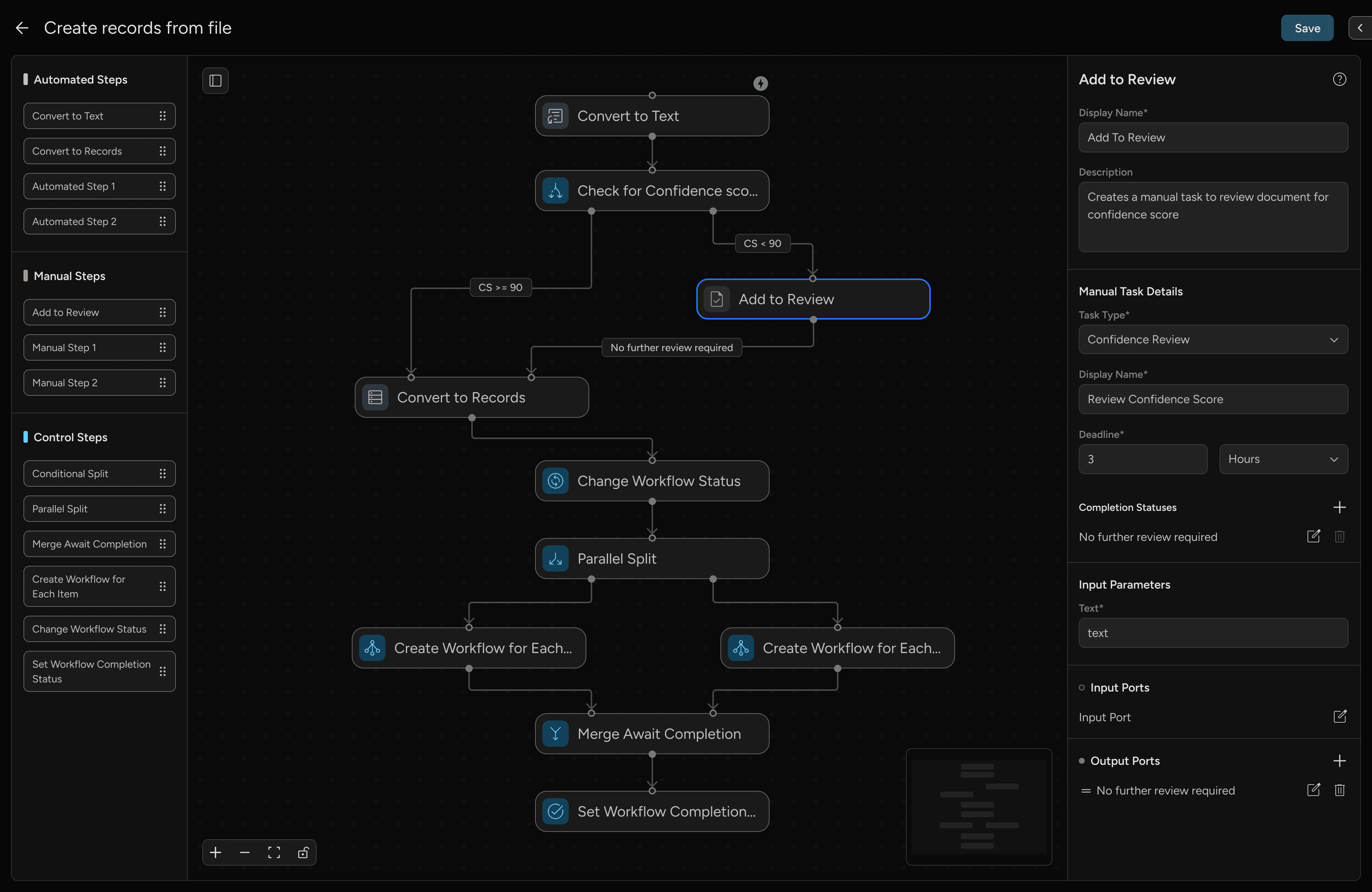
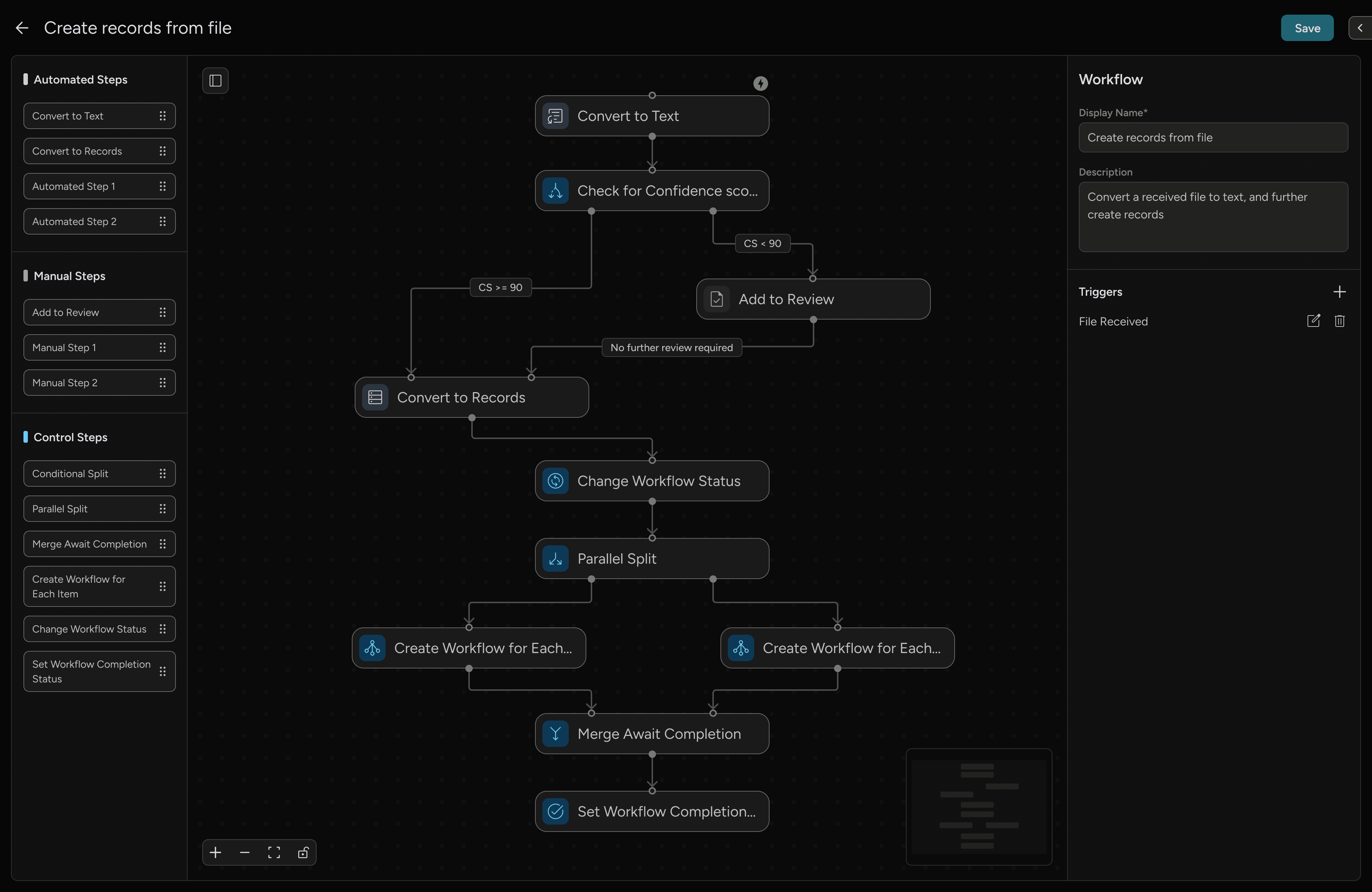
This approach introduces a visual canvas where users can drag and drop steps, connect them through handles, and define relationships visually. Steps are clearly differentiated, and the entire workflow structure is visible in one view
Matches users’ mental model of process flow
Makes branching and parallel logic visually clear
Easy to rearrange, iterate and scales better for complex workflows
Requires clear validation to prevent misconfiguration
Finalizing the approach
I chose the freeform building approach because it best matched how users naturally think about their processes - as flows, not rows or sequences. While it required stronger validation, it offered the right balance between clarity and control, making it scalable for both simple and complex workflows
Mapping out the actions
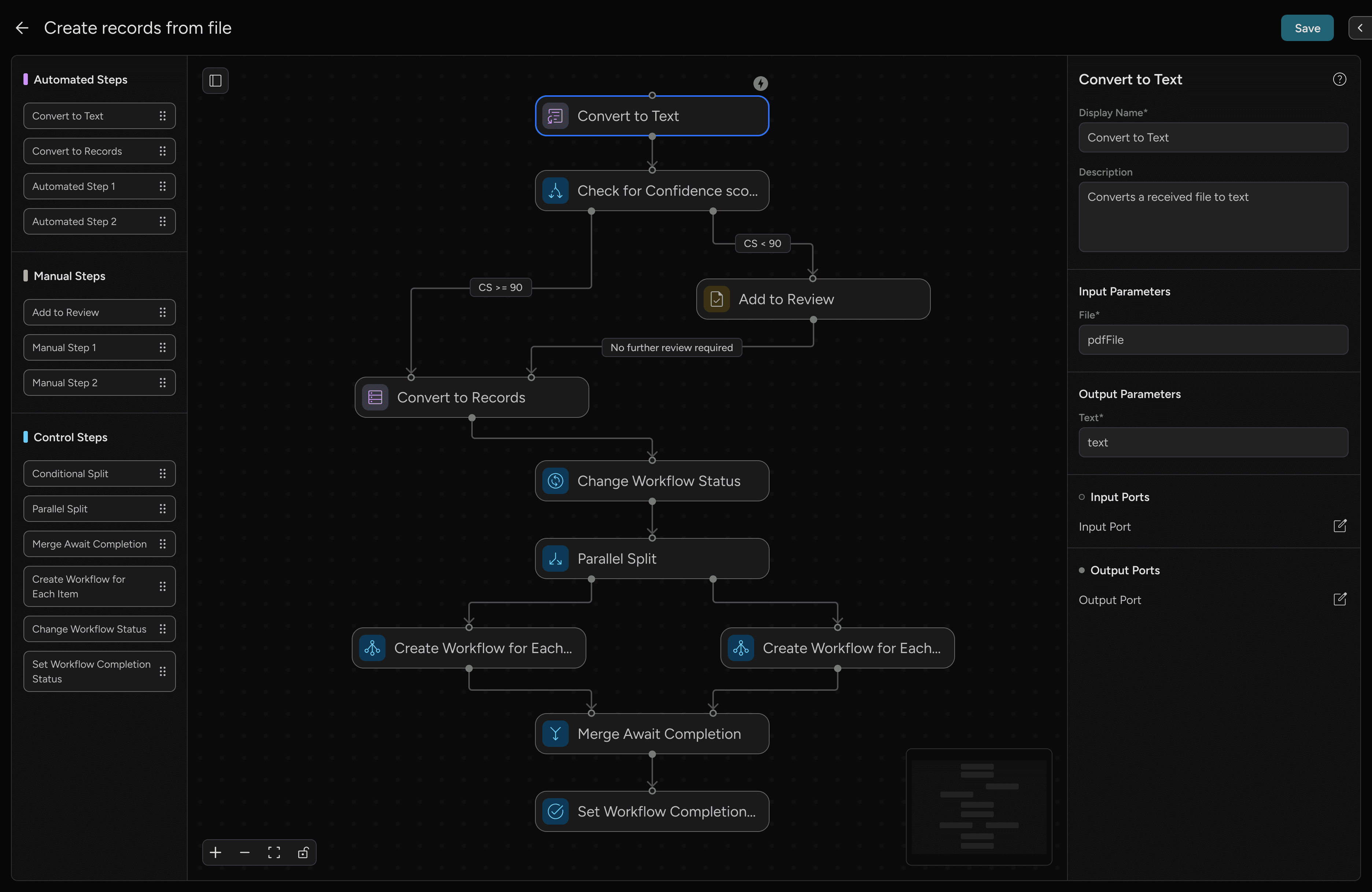
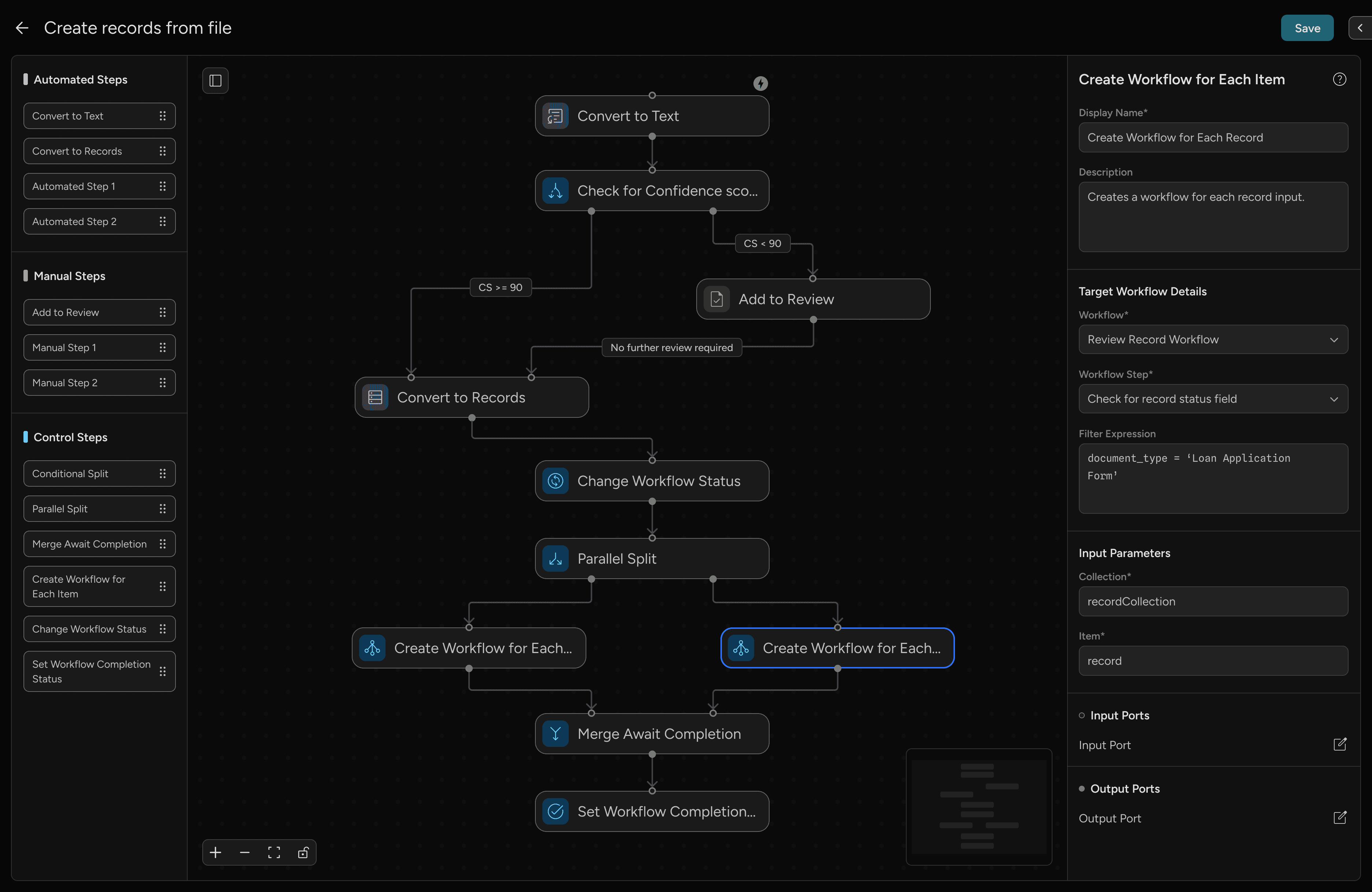
I built the workflow canvas using React Flow, which handled node connections, drag-and-drop behavior, and canvas interactions out of the box. I used custom nodes to represent various actions in the workflow, known as steps, which are categorized into:
A tour of the new workflow builder
Approaching data tracking and observability
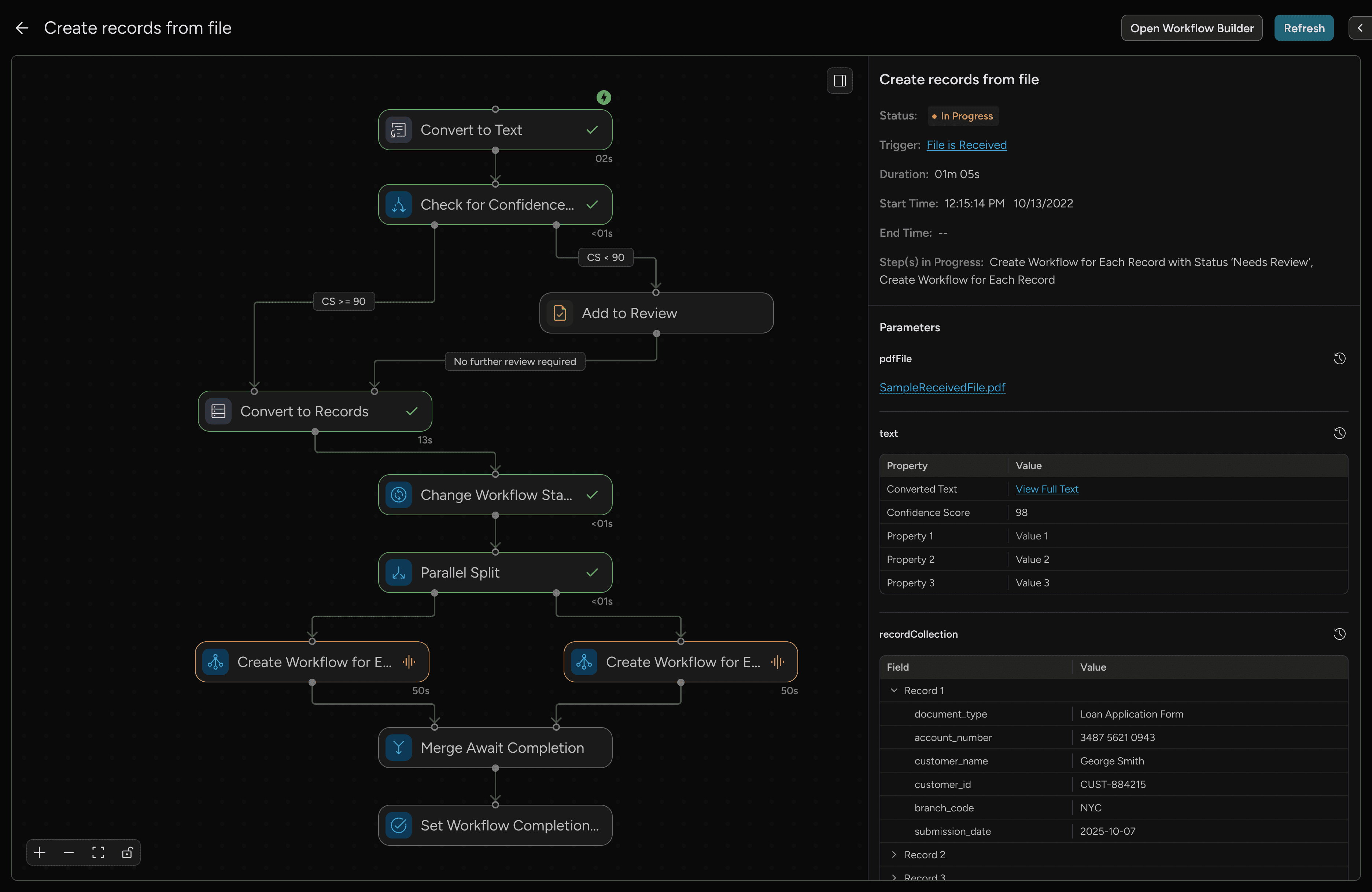
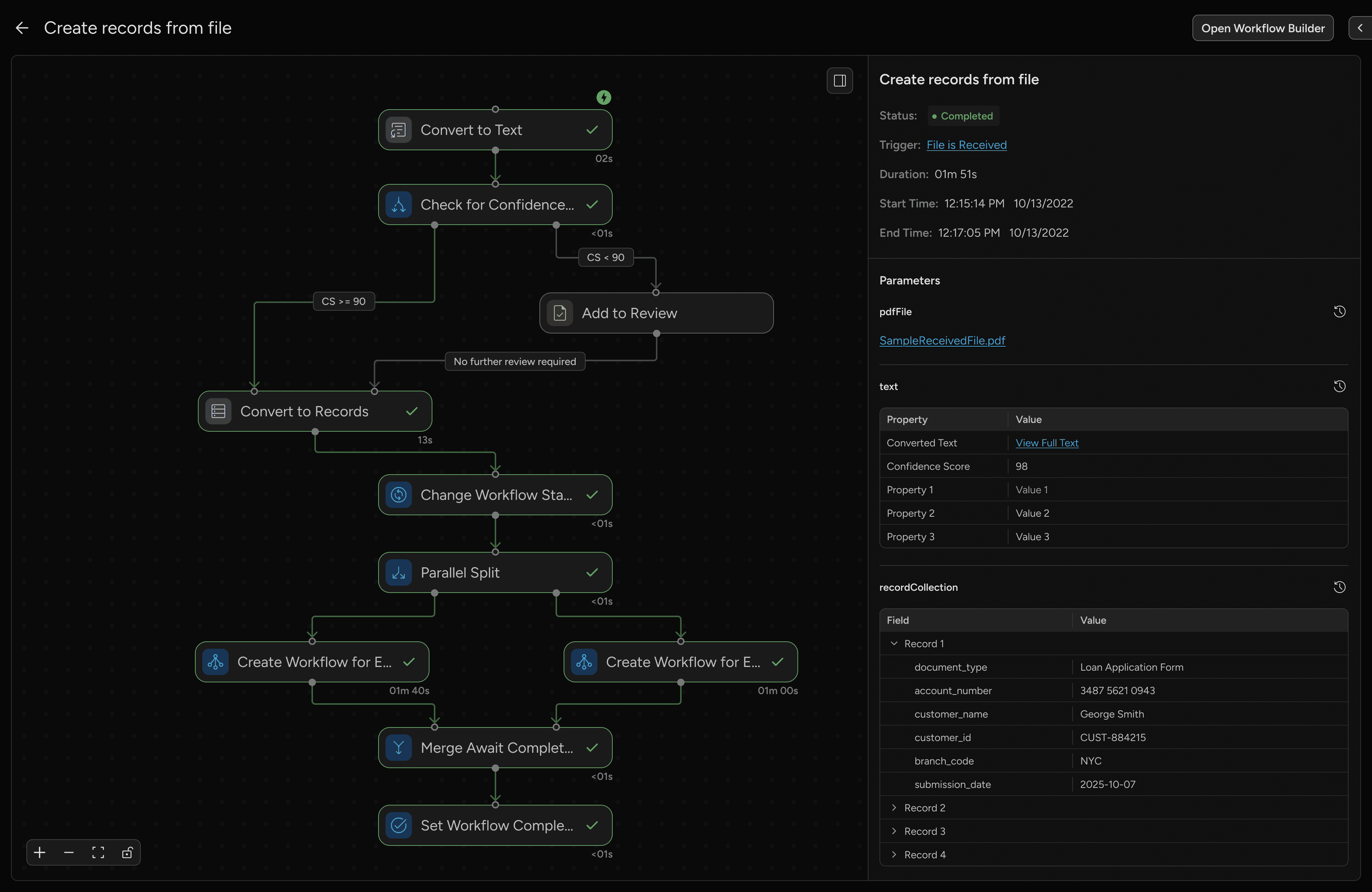
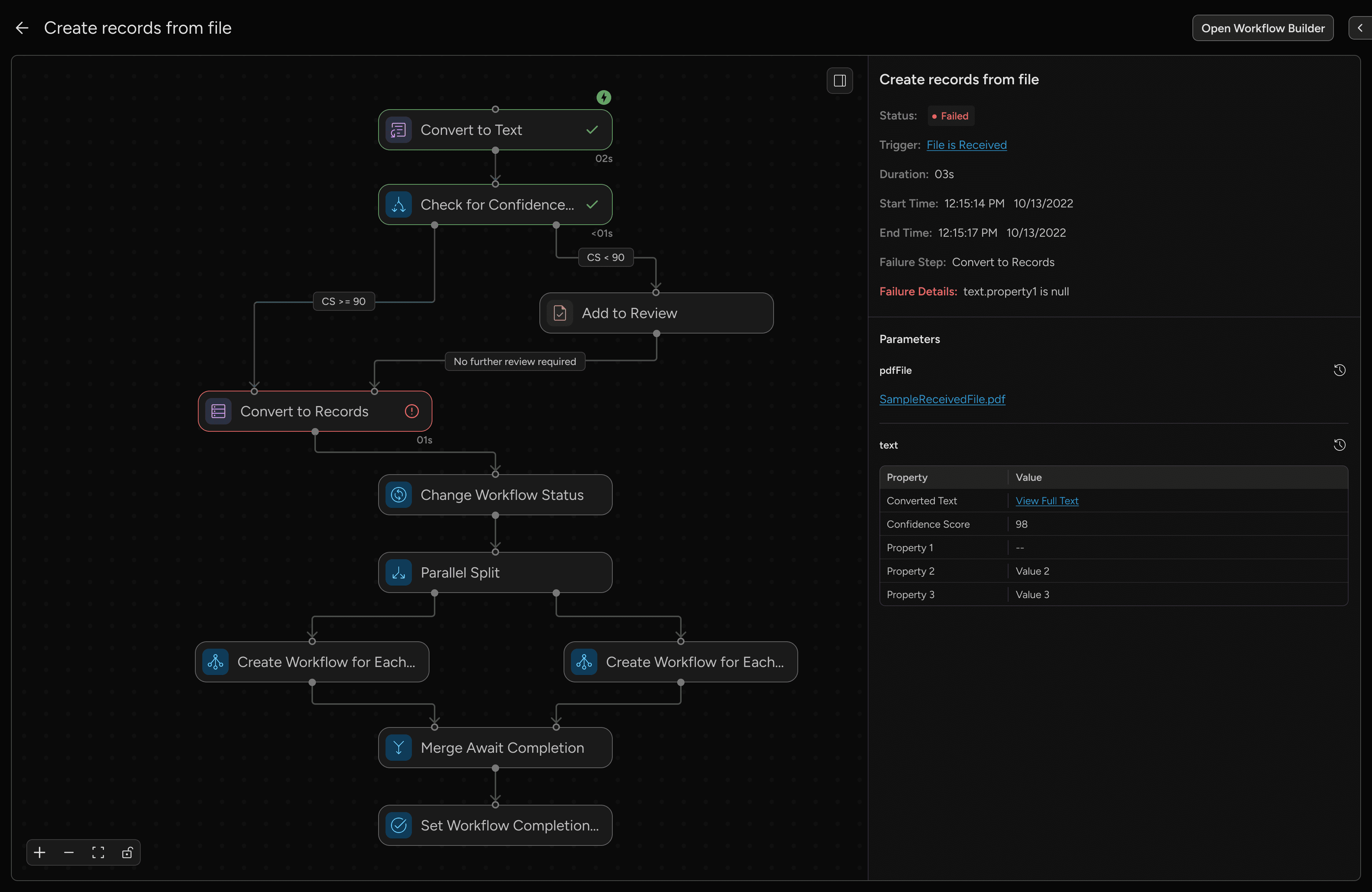
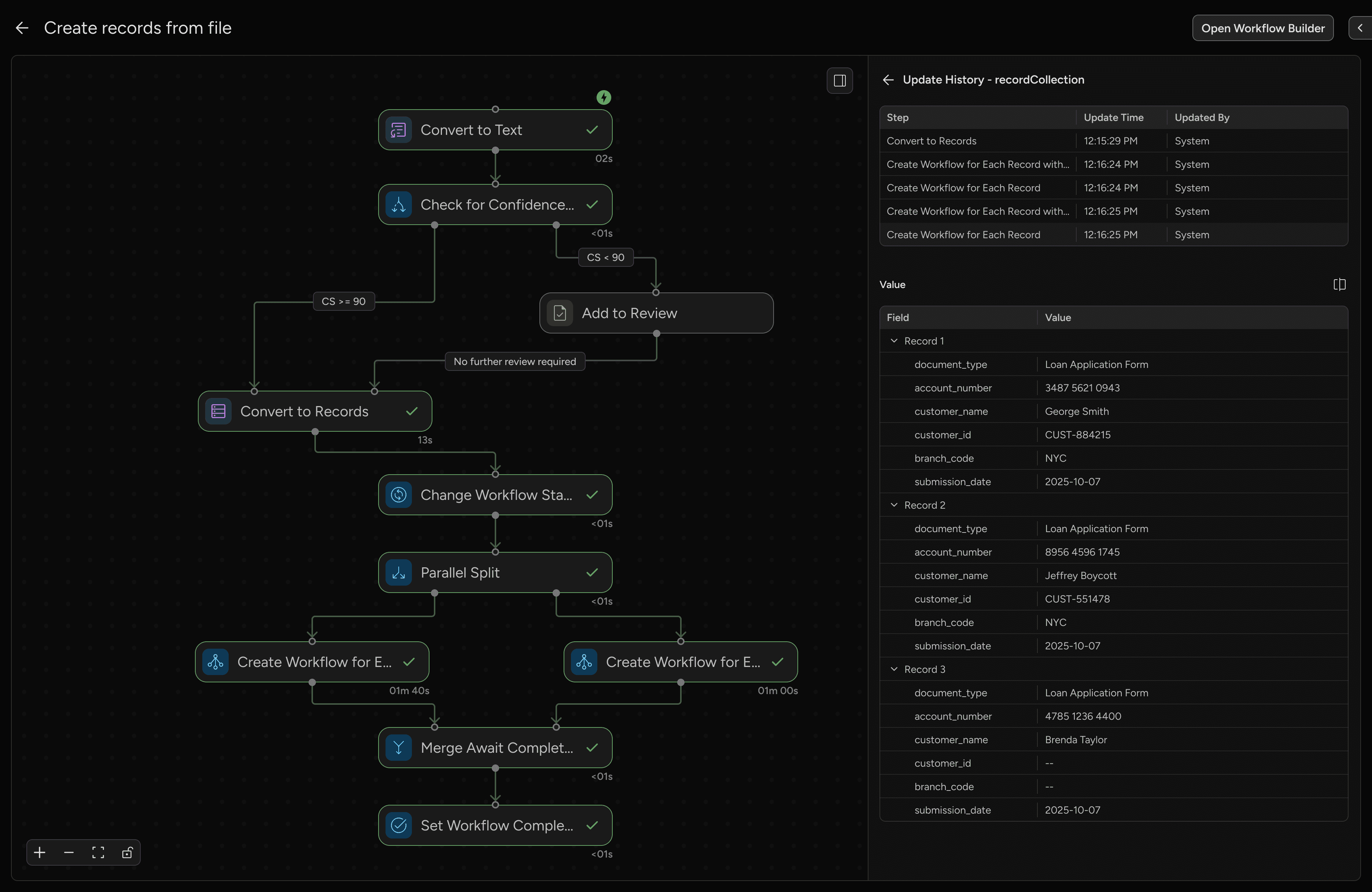
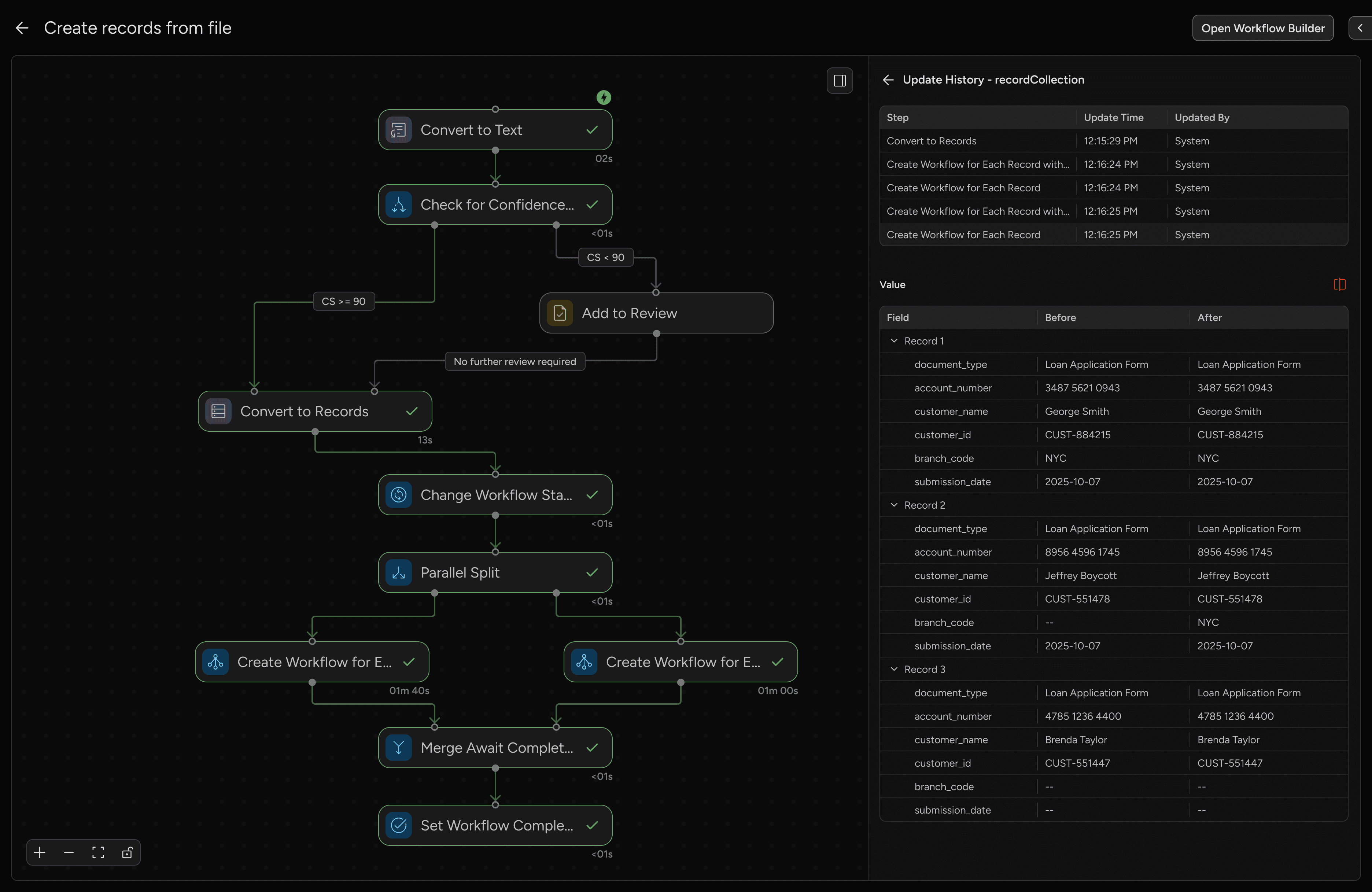
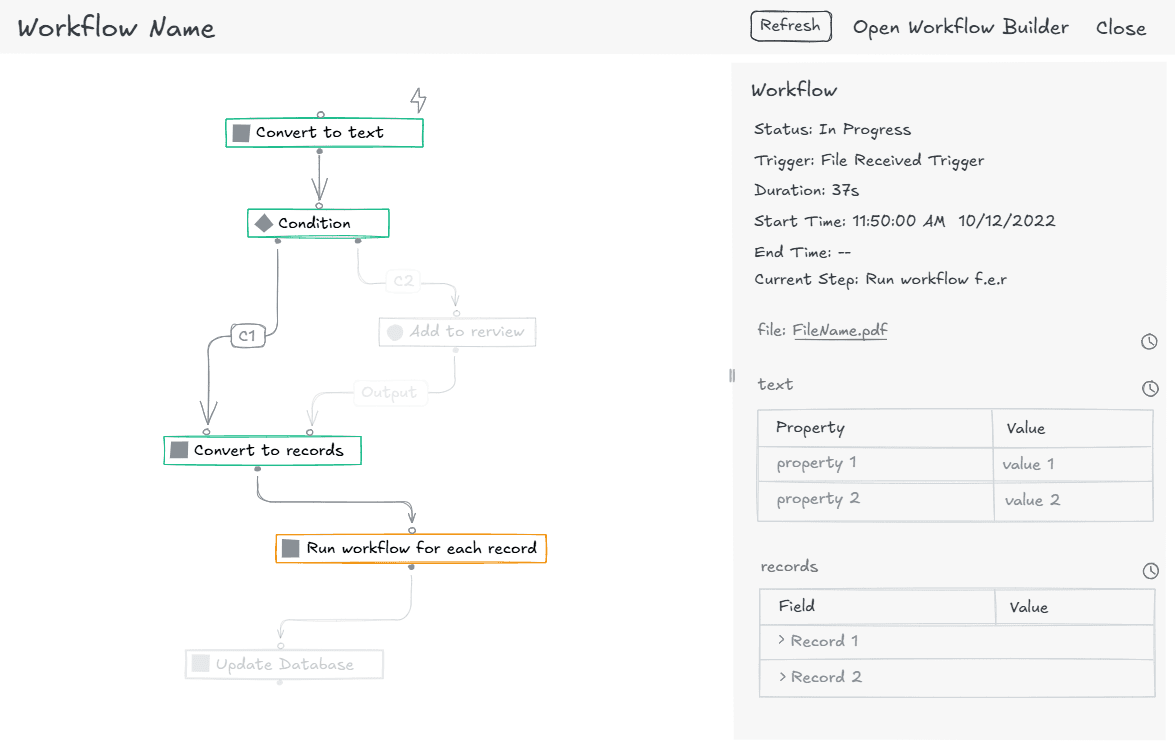
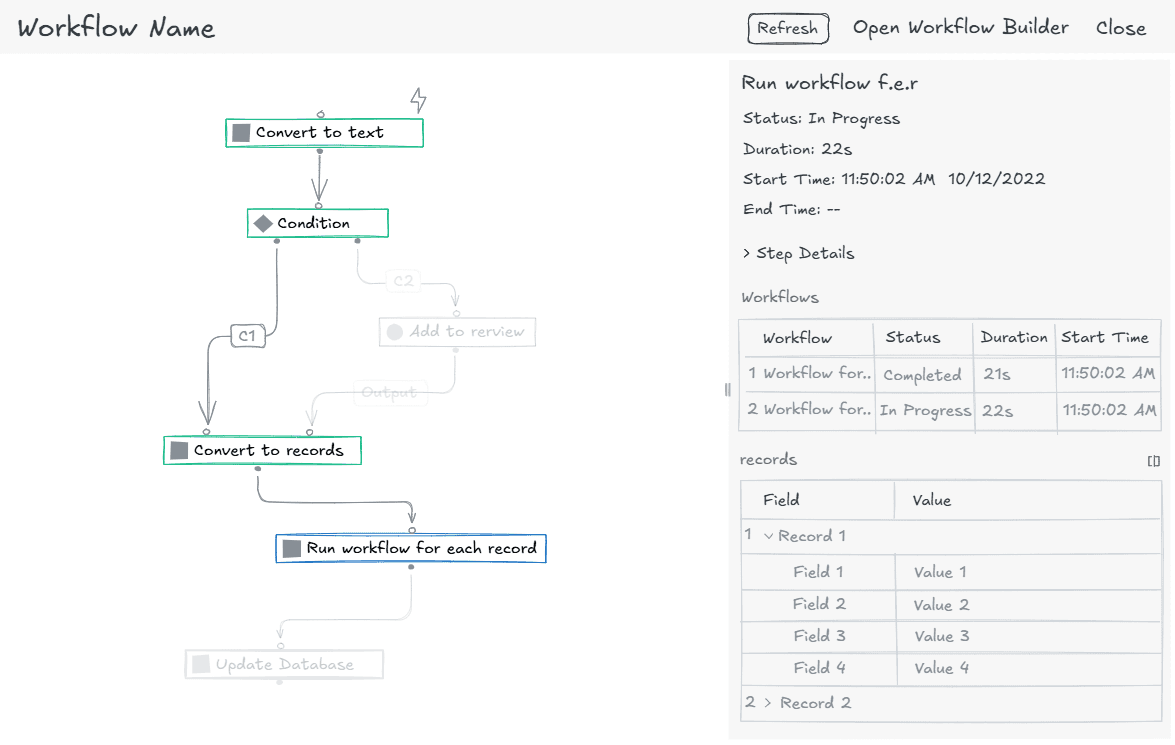
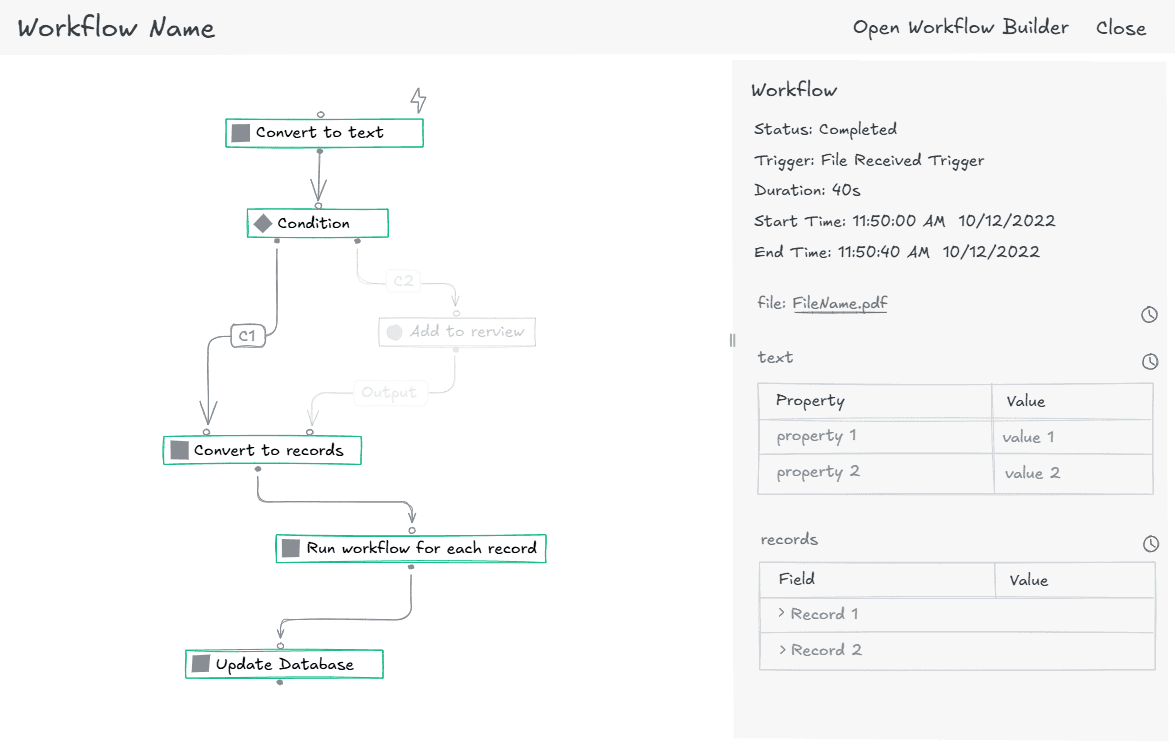
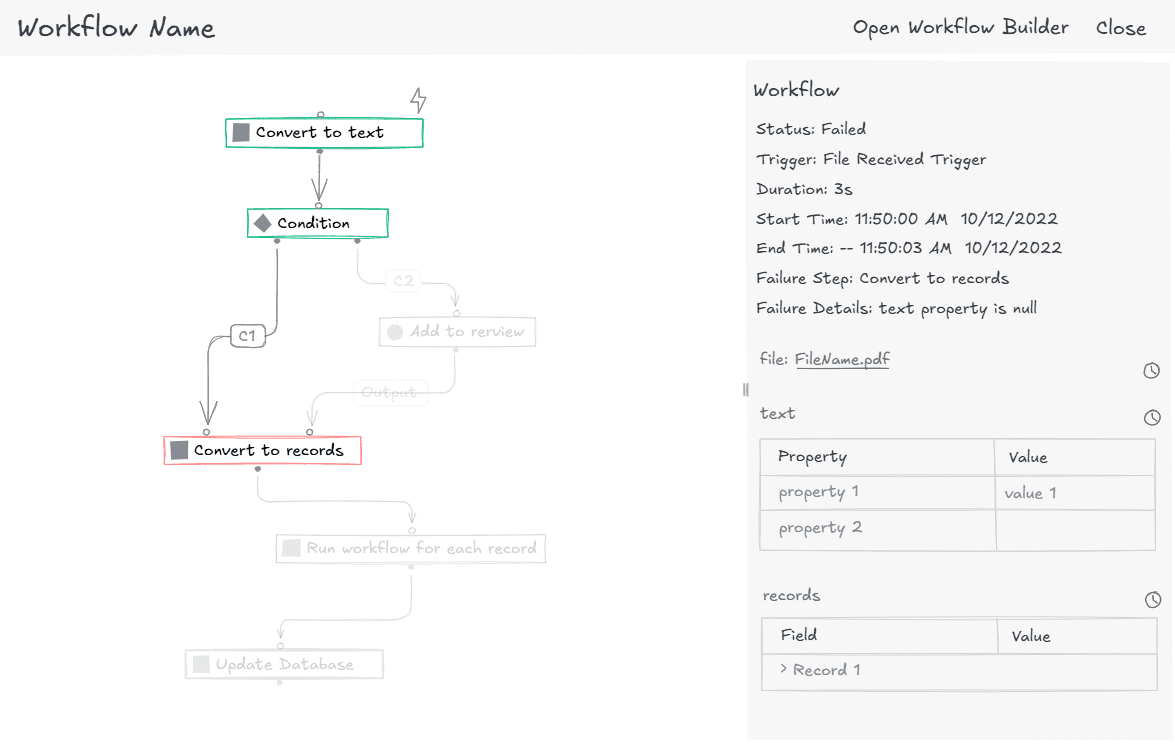
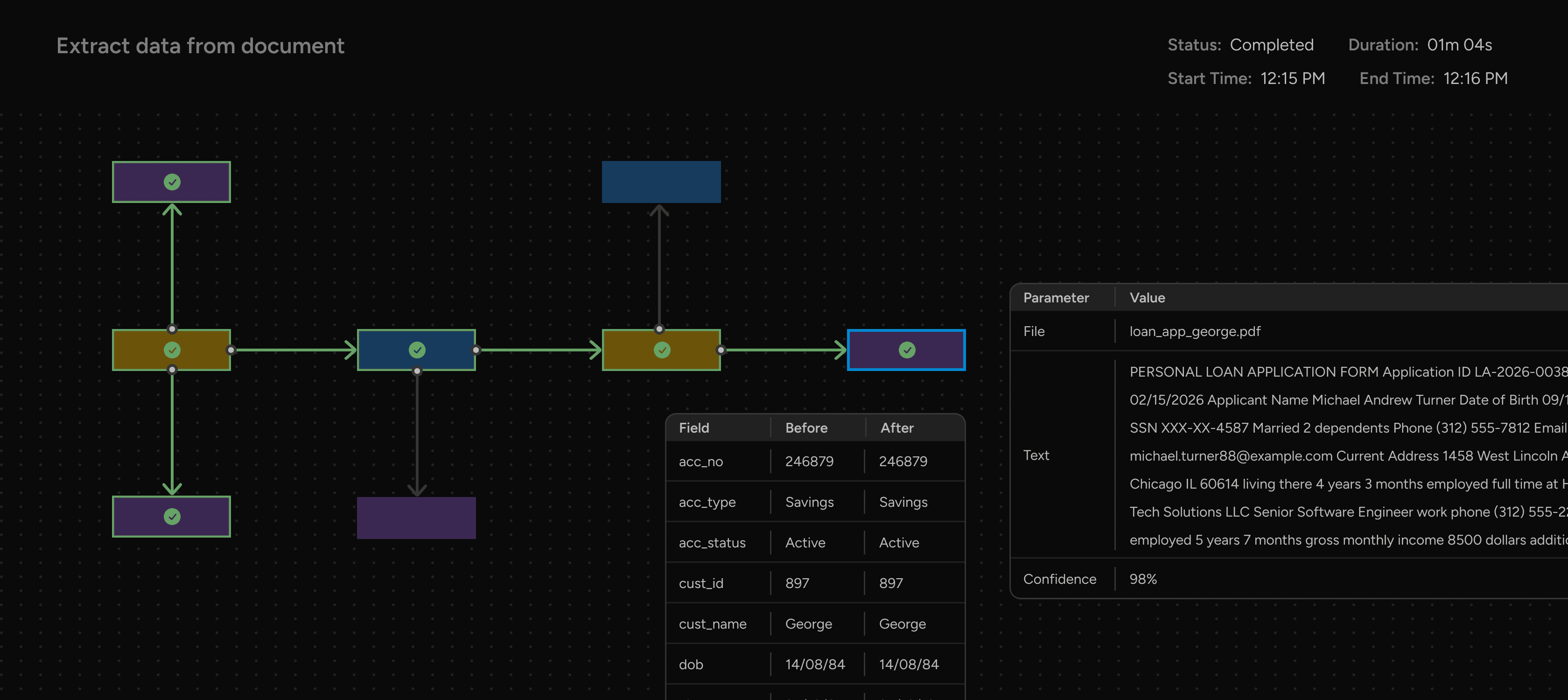
I focused on making workflow execution transparent and easy to understand. Each step displays its current status, related data, and any errors directly within the interface, making it easier for users to identify issues early and take appropriate action
Pausing for a quick feasibility check
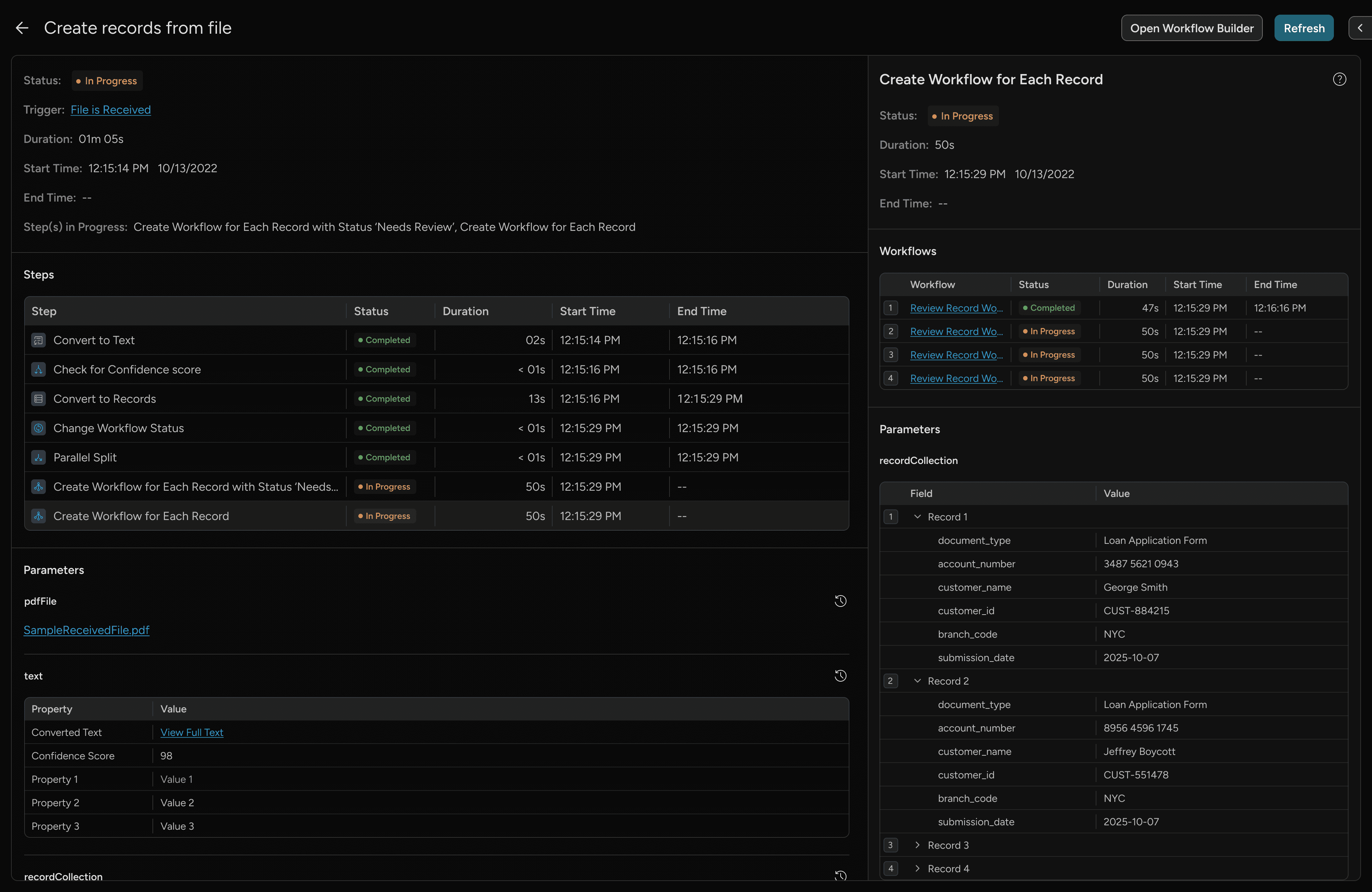
While the long-term plan was to offer a dedicated live monitoring screen for real-time workflow tracking, early technical discussions revealed that this would significantly delay delivery. To meet business timelines while still improving user experience, I adopted a traditional grid layout for workflow monitoring in the initial release.
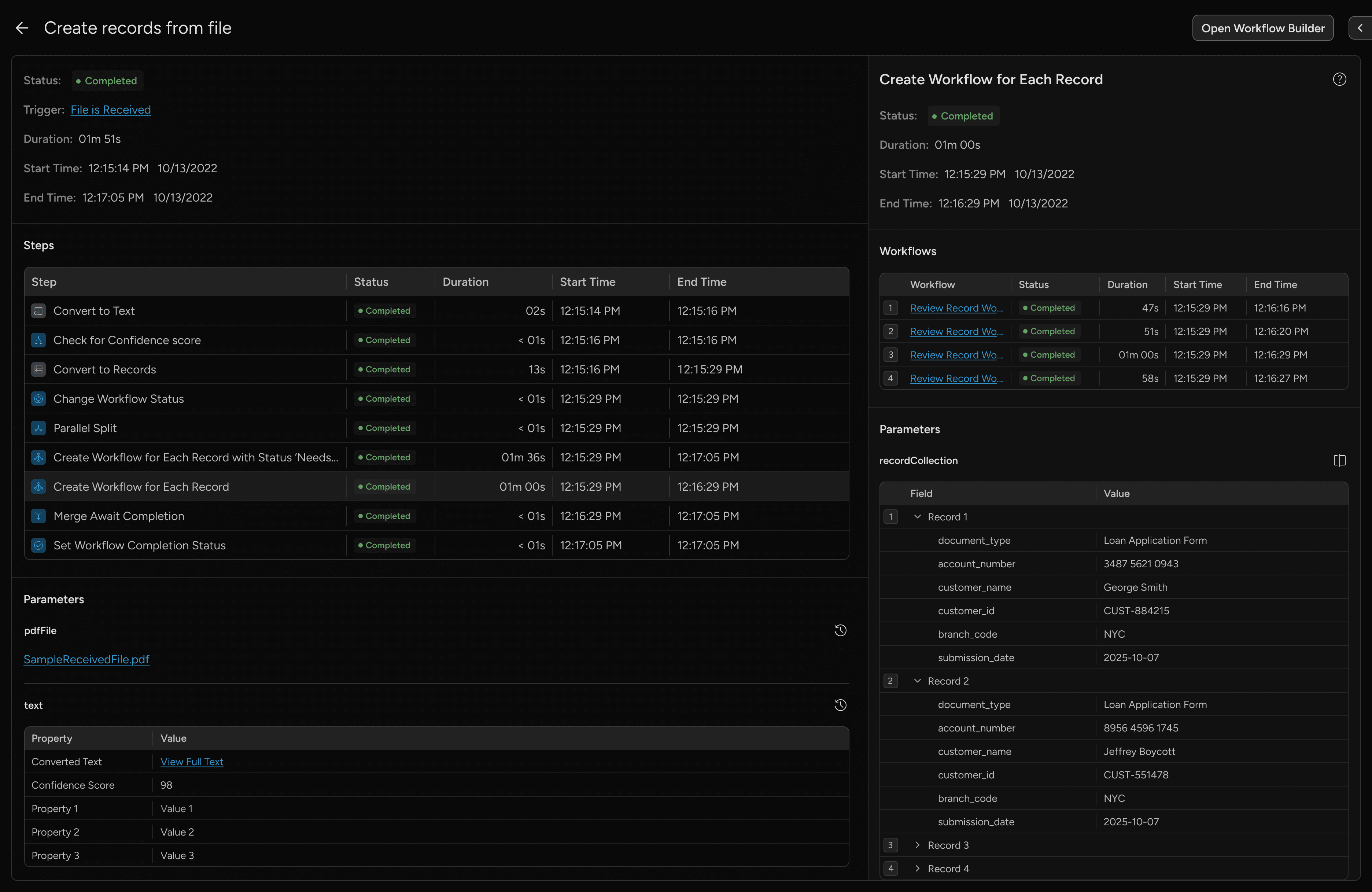
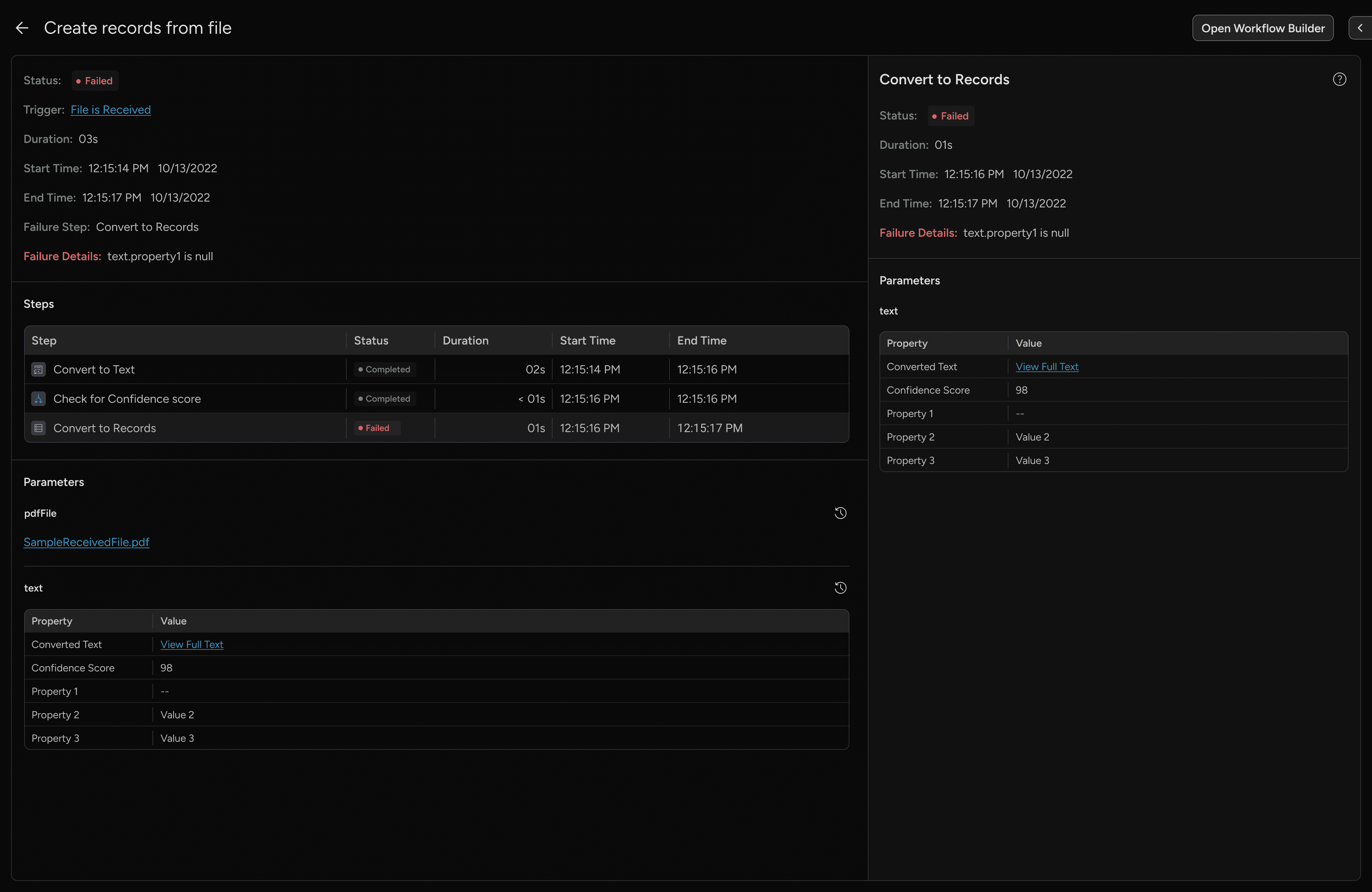
Visual canvas for monitoring & tracking